Multi-Input Workflows
By default, workflows require a single input to produce the desired result. One image in, one image out. Workflows where multiple images are required to produce the result need to be specifically configured for that purpose. Please contact your CSM or the Support team if you need access to this feature.
When the feature has been enabled on one of your workflows, you will see that this workflow supports Smart Grouping, which is a feature we have developed to group related inputs so that they can be processed together, through a single execution, to produce the desired result. This is for instance how Ghost Mannequins are produced.
How to upload related inputs
Section titled “How to upload related inputs”Before uploading your related inputs, make sure you have aligned with your CSM on the file naming convention to use. AutoRetouch supports most file naming conventions and we have built the Smart Grouping feature to handle common SKU based patterns.
After your file naming convention has been configured, you can drop your related inputs as you would normally do for single inputs.
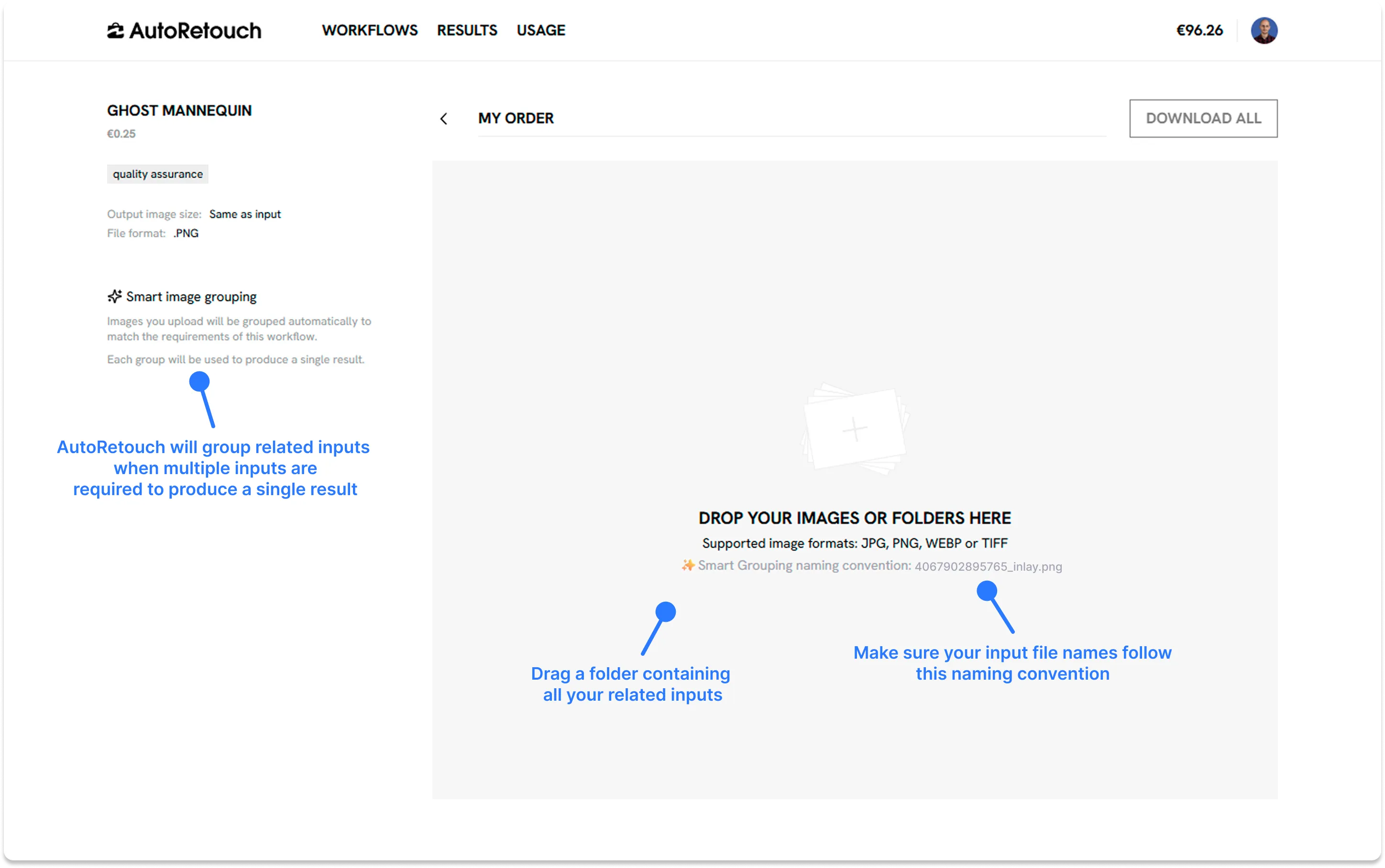
The system will then group related inputs in Smart Groups. Make sure these groups contain all the inputs required to obtain the desired result. This is very important to verify before processing your order.
In case of issue:
- You can easily delete inputs;
- Or add more.
As long as the file naming convention is kept, newly uploaded inputs will be matched with existing groups.
For instance, if you have a group 123_xxx and already have
123_back.png, 123_front.png files grouped together,
uploading 123_inlay.png will group it in the existing group containing
123_back.png and 123_front.png.
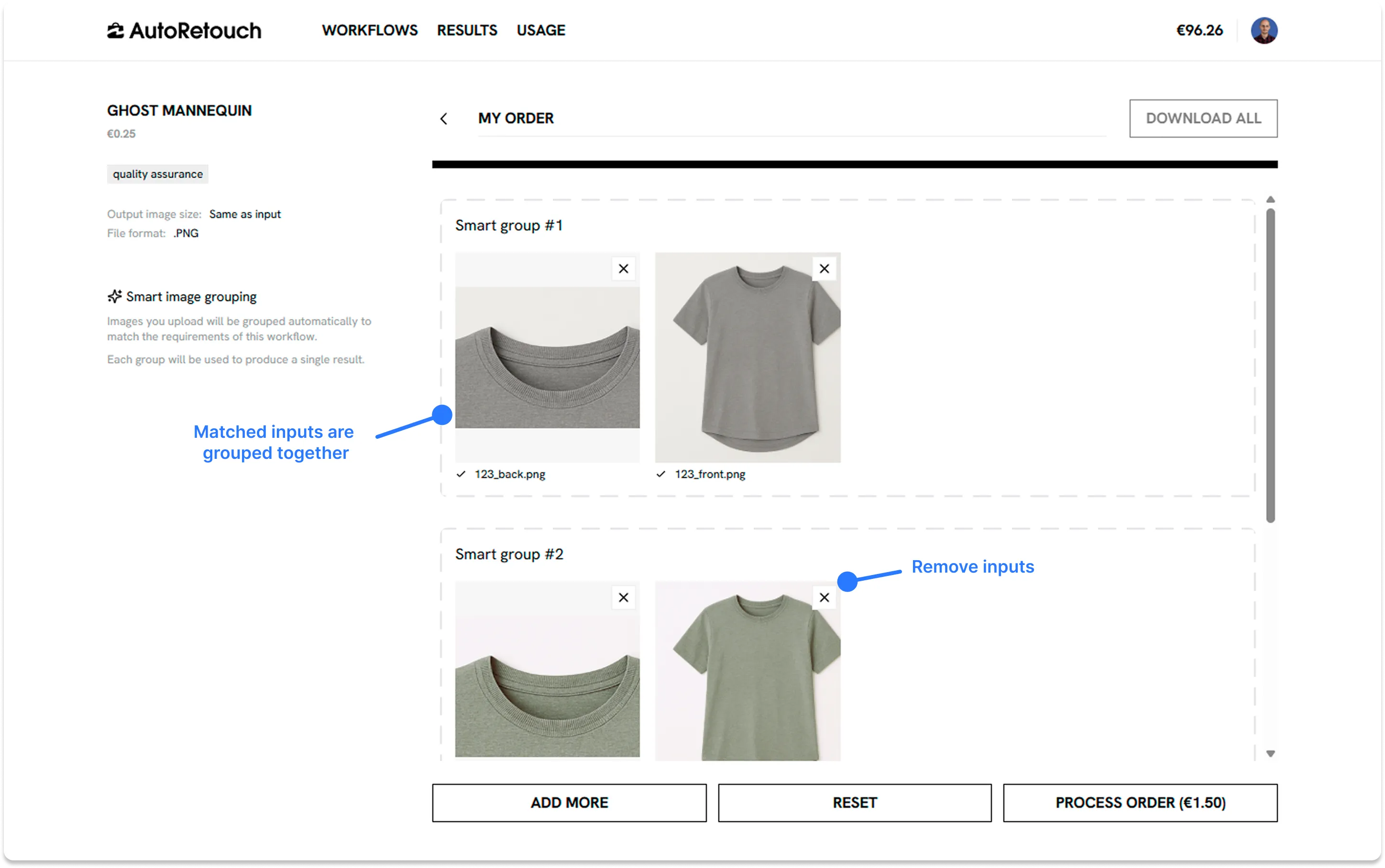
Once you’ve verified the Smart Groups, you can click “Process Order”.
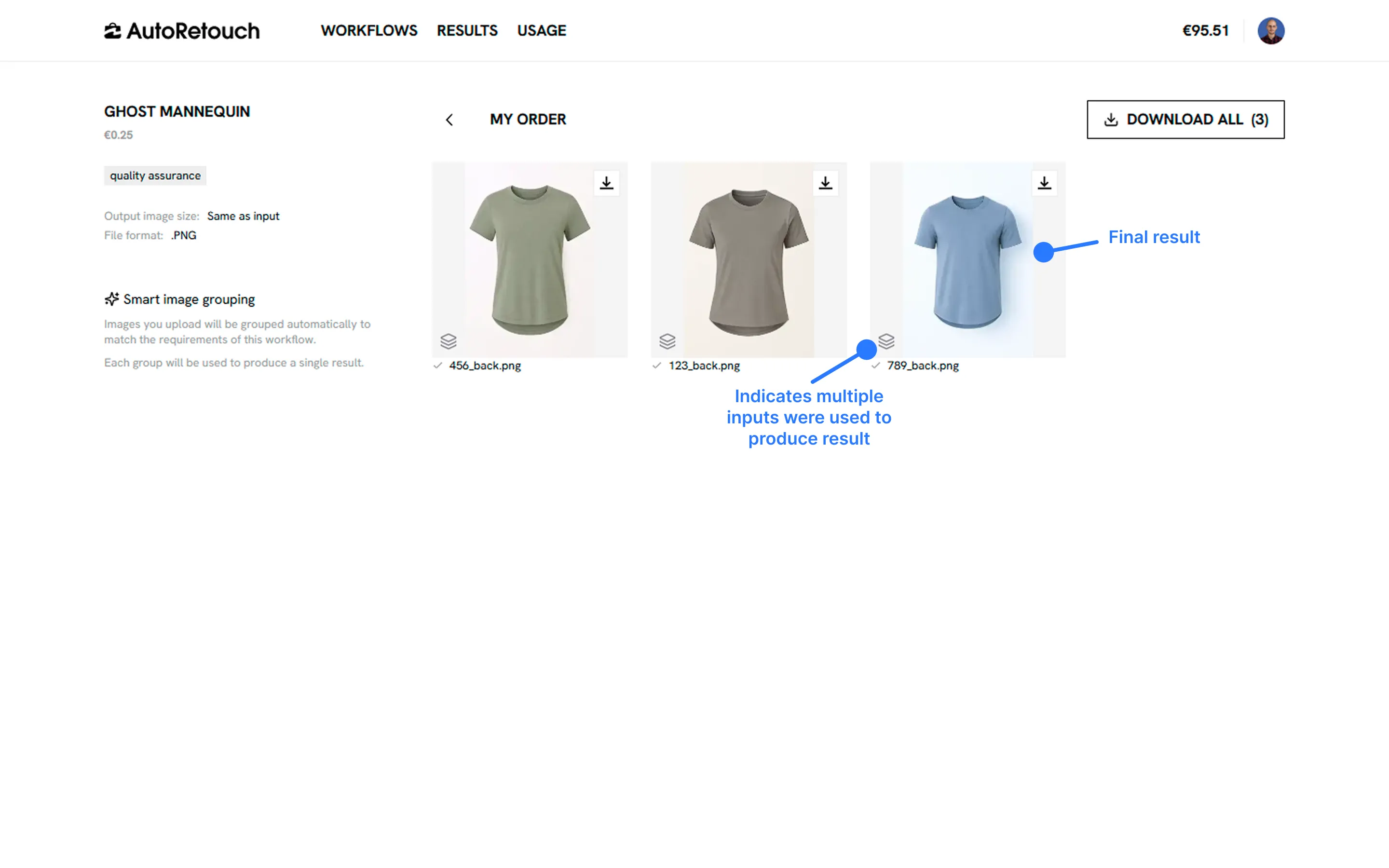
After that, you will be able to find your results in your workflow. You’ll see a small indicator when a given image was produced using multiple inputs:
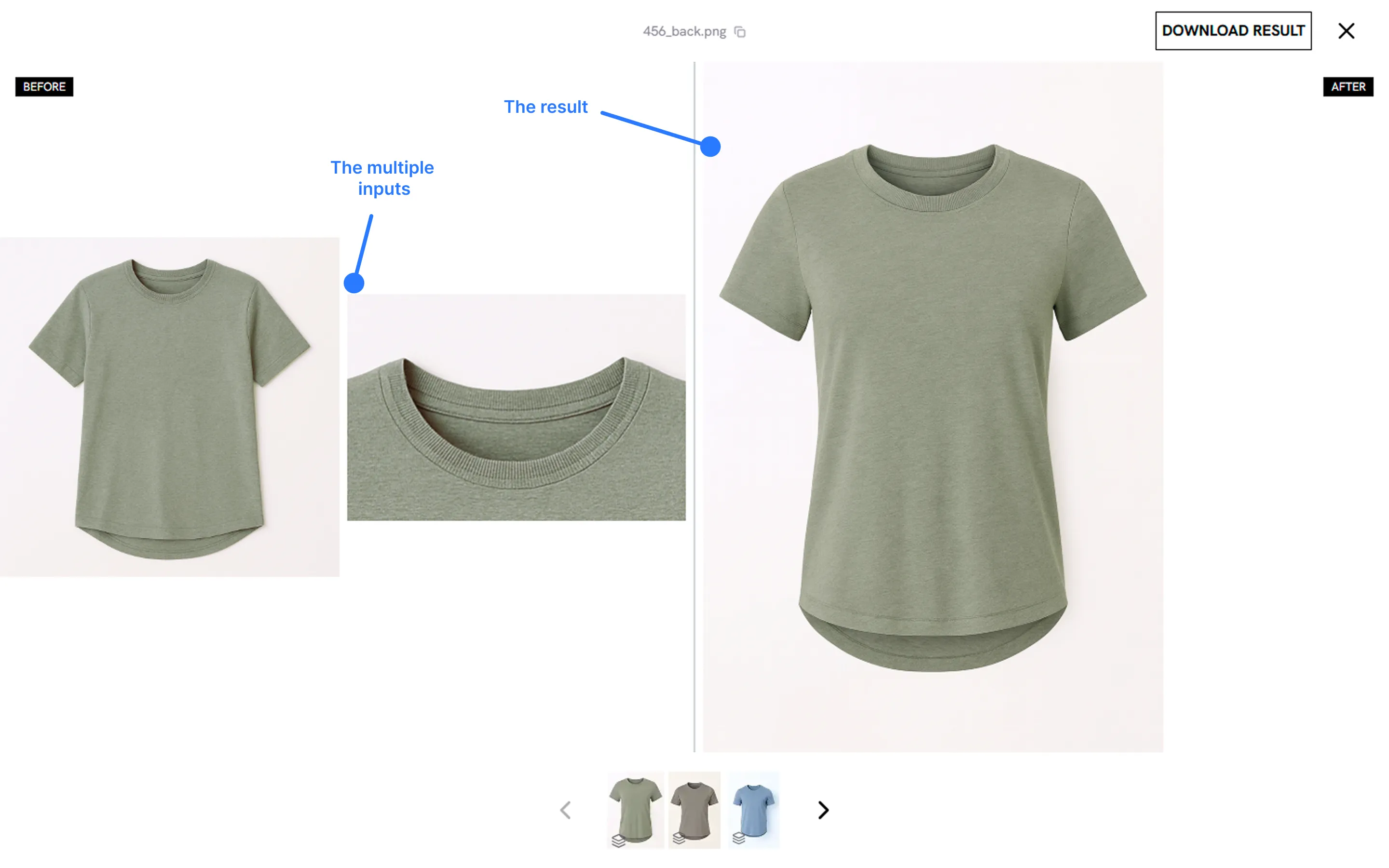
To finish, expanding an image will result in a full screen view detailing all the inputs along the result produced by the system.
Pricing
Section titled “Pricing”AutoRetouch charges per execution, not per input. Inputs grouped through the Smart Group feature are then processed through a single execution. In other words, your order will be charged based on the number of groups, not on the number of inputs (e.g., 10 groups with 2 inputs each will result in 10 executions).