

AI transparency
AutoRetouch marks AI-generated content so it stays identifiable wherever you publish it, in line with the transparency direction set by regulations such as the EU AI Act. This page explains what we embed in your images, how to verify it, and what options you have.
How AutoRetouch uses AI
Section titled “How AutoRetouch uses AI”AI Shoot output images are fully AI-generated: the model shown is a synthetic avatar, not a real person, and the garment is re-generated as well.
AI Editing workflows enhance existing images. Some operations involve no AI (crop, trim, fill with color). Some use non-generative AI, which analyzes or removes pixels without synthesizing new content (background removal, computed shadows). Some use generative AI, which produces new pixels (generative shadows).
Current capabilities
Section titled “Current capabilities”Machine-readable metadata
Section titled “Machine-readable metadata”The EU AI Act introduces transparency obligations for AI-generated content from August 2026, including machine-readable marking. Every AutoRetouch image carries embedded metadata identifying whether it was created or altered using AI, following the IPTC Digital Source Type standard.
AutoRetouch sets the XMP field Iptc4xmpExt:DigitalSourceType as follows:
| Scenario | Value |
|---|---|
| Generative AI was used to create the image | https://cv.iptc.org/newscodes/digitalsourcetype/trainedAlgorithmicMedia |
| AI, generative or not, was used to edit an existing image | https://cv.iptc.org/newscodes/digitalsourcetype/compositeSynthetic |
| No AI was used on the image | https://cv.iptc.org/newscodes/digitalsourcetype/digitalCapture |
AutoRetouch reads any existing Iptc4xmpExt:DigitalSourceType value and only replaces it when the operation performed has a stronger incidence on the image than the value already implies (generated > edited with AI > no AI). Existing values are never downgraded and never stripped, so downstream systems always receive the most accurate value.
- The metadata is embedded in the image file and travels with it.
- It follows the IPTC standard recognized by Google Merchant Center, Breuninger, and other major platforms.
Visible AI label
Section titled “Visible AI label”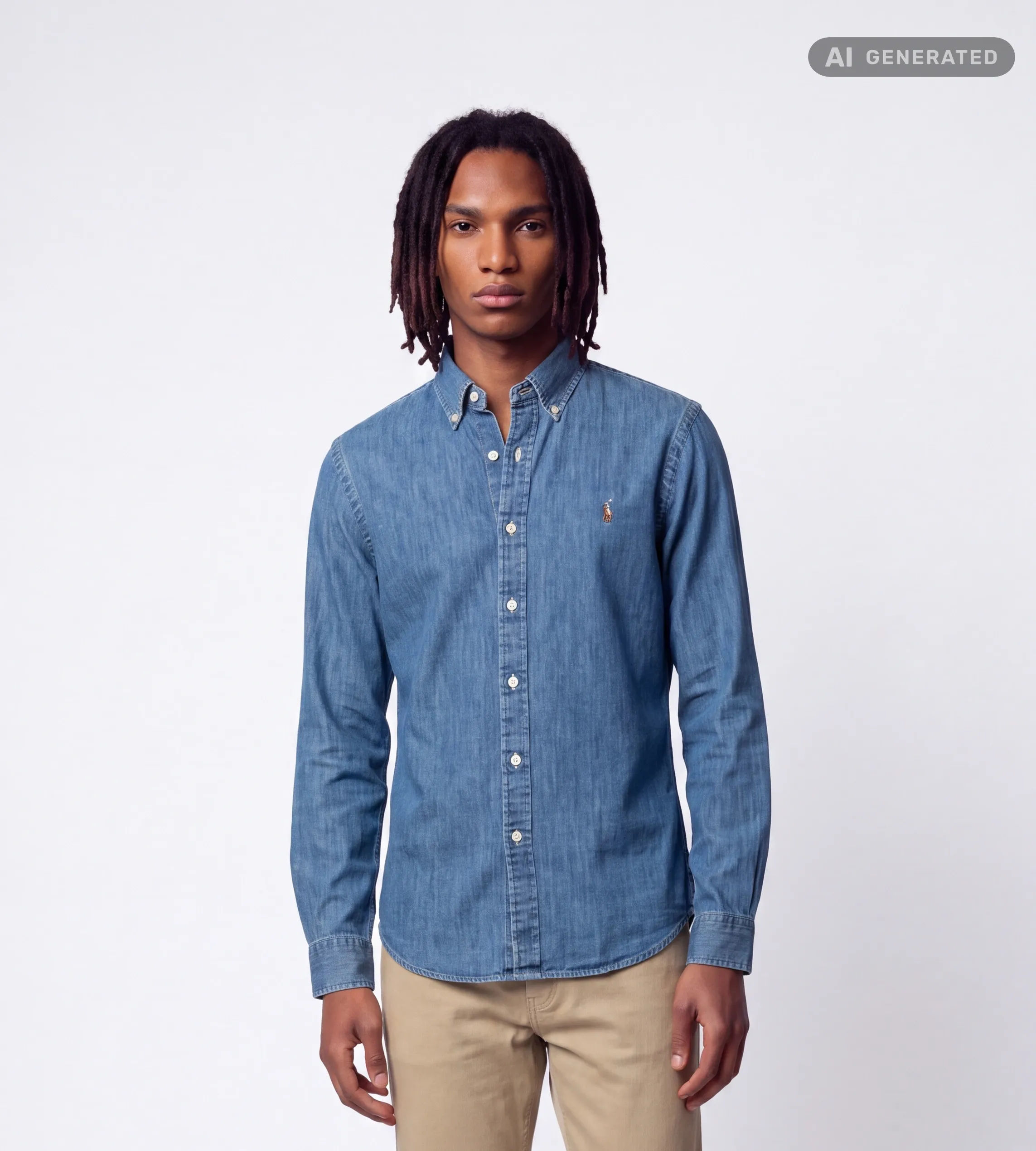
The EU AI Act also expects AI-generated content to be disclosed to viewers where relevant; the visible label gives you a ready-made way to do this. AutoRetouch can apply a visible label to the images it produces, marking them as AI-generated. The label is enabled by default and positioned in the top-right corner of all AI Shoot images.
- The label is added at download time, so your stored results are never altered.
- You can download your images without the label at any time. Whether and how to display AI disclosure on your channels is your decision as the publisher.
- You can also request such label to be added to your editing workflows if you wish to label your images with AutoRetouch (label position is in this case customizable)
For step-by-step instructions, see Download AI Shoot results with an AI Generated label.
What’s next
Section titled “What’s next”We are extending our provenance features with C2PA Content Credentials, the cross-industry standard for cryptographically signed content provenance. This page will be updated as new capabilities ship.
Questions
Section titled “Questions”If you need help verifying markings on your images, contact support.